Goodbye GTA 5 AI Video Generator
Upload one photo to make the viral Goodbye GTA 5 AI video (also searched as GTA 5 goodbye AI or Goodbye GTA V): the kid you were in 2013 meets the three heroes on the pier, and the adult you are in 2026 says goodbye at sunset.
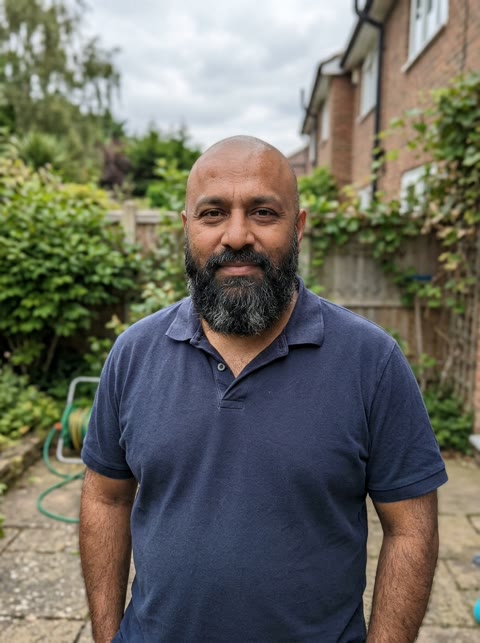

Example made from an AI-generated test photo, not a real customer.
- One photo makes both the 2013 kid and the 2026 you
- Vertical 9:16 for TikTok, plus the 4:3 original
- Photos deleted within 2 days
The Goodbye GTA 5 AI video everyone is remaking
Click to load the embedded TikTok player (keeps this page fast until you play).
Watch on TikTok ↗Your goodbye to GTA 5, in three acts
The Goodbye GTA V trend follows the same story every time: the kid who first played GTA 5 in 2013, the adult who grew up with it, and the last walk on the pier before GTA 6.
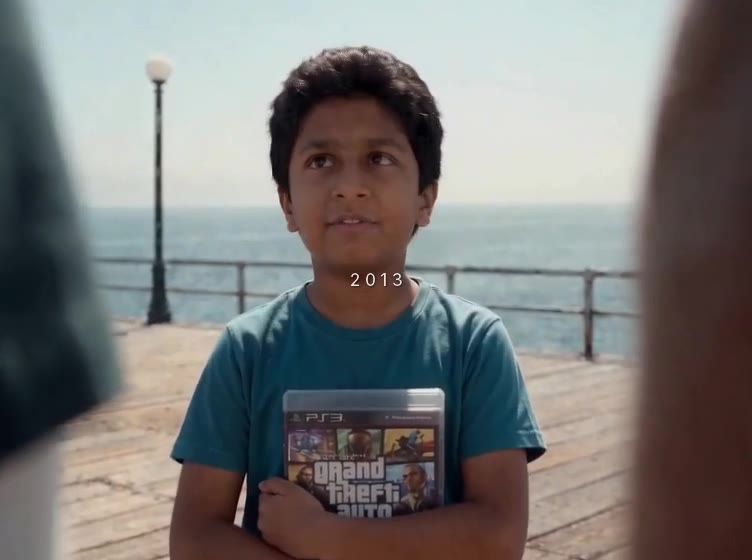 2013
You, the kid who got the game
A younger you walks down the pier in daylight and meets the three heroes: “Nice to meet you.” A fist bump, a ruffle of the hair.
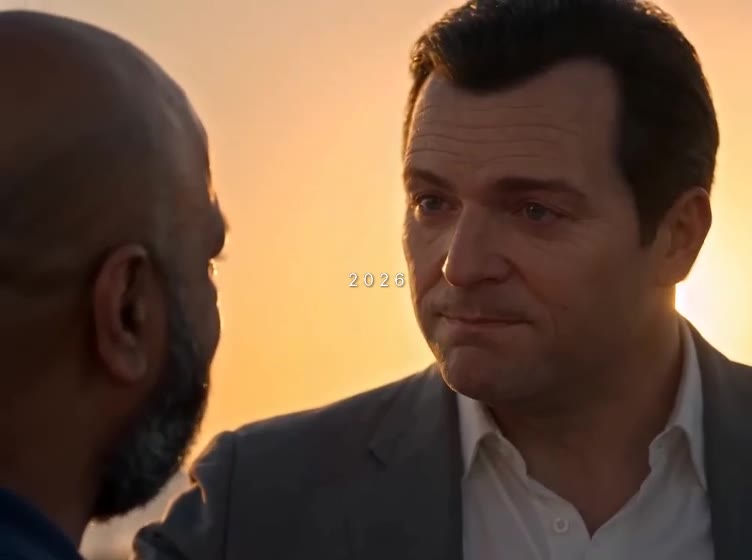 2026
“13 years, look at you now.”
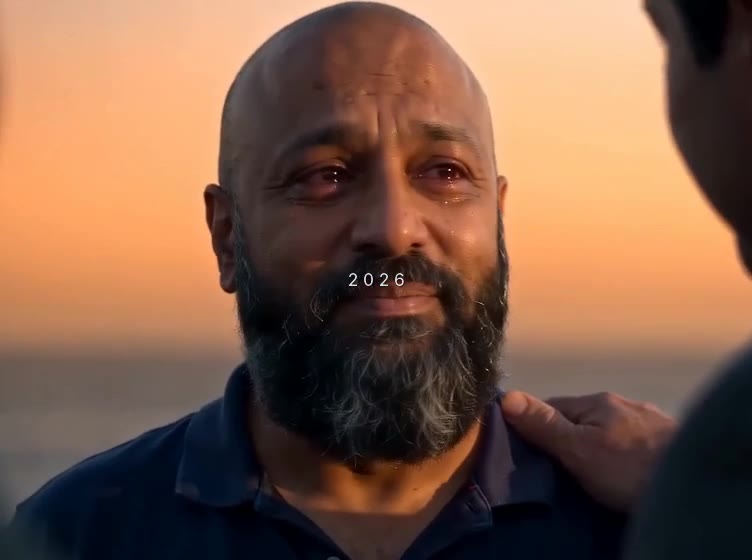
Thirteen years later the same pier glows orange, and the heroes see who you grew up to be. The original voice lines are included.
2026One last look
A hand on the shoulder, eyes wet, a smile into the camera: “See you later.” Thirty seconds, ready to post on TikTok, Reels or Shorts.
Why the GTA 5 goodbye AI video took off
Grand Theft Auto V came out in September 2013. Thirteen years later, with GTA 6 releasing on November 19, 2026, players started posting goodbyes to Los Santos: fan-made radio farewells, last drives in GTA Online, and AI short films.
The AI version exploded on TikTok in mid-November 2026, when Japanese creator @uekan2b posted a 30-second film titled “Thank you for 13 years”: his younger self meets Michael, Franklin and Trevor on a seaside pier, then he returns as an adult to say goodbye. It passed 5.5 million views in a week, and millions of players began searching for a Goodbye GTA 5 AI generator to put their own face into the scene.
From one photo to your goodbye, in three steps
Upload one photo
A clear, front-facing photo of you today. No childhood photo needed: the AI works out how you looked as an 8-year-old in 2013.
We render your goodbye
Your face, hair and clothes go into both the 2013 scene and the 2026 sunset scene, matching every cut and beat of the trend.
Download and post
Get a vertical 9:16 video ready for TikTok, Reels and Shorts, plus the 4:3 original—both with audio and as a silent copy.
One person, face visibleLook at the camera in good light. No sunglasses, masks or group photos.
Head and shoulders or widerThe video copies your hair and clothes, so wear what you want to say goodbye in.
Only photos you may useYour own photo, or one you have permission to use. No celebrities or minors.
Prefer to do it yourself? See the step-by-step guide and the free shot-by-shot prompt.
Why one photo is enough
Before opening the generator we ran test renders of both scenes with AI-generated test photos, never real customers. Three things decided how the product works:
- The kid comes from your adult photo. Asking for the same person at about 8 years old gave a child with the photo’s hair, coloring and face shape, so you do not need to dig out a childhood picture.
- Only you change. The three heroes, the pier and the sunset stay consistent in every video; the traveler is the only part that takes your face, hair and clothes.
- The timing holds. Writing every shot with its own start and end time kept the cuts within one frame of the plan, so the fist bump and the last look land where they should.
That is also why your photo matters more than anything else: a clear, front-facing photo in good light gives both the 2013 kid and the 2026 you something solid to work from.
AI video generator vs CapCut template vs free prompt
| This generator | CapCut template | Free prompt + AI tool | |
|---|---|---|---|
| You in the scene | Yes, from one photo | Your own clips cut to the beat | Yes, if the tool keeps your face |
| 2013 kid version | Made automatically | Only if you have old clips | Extra prompt & retry work |
| Effort | Upload and wait | Low (montage only) | High: shot by shot, retries |
| Cost | From $9.99, pay once | Free or CapCut Pro | The AI tool’s credits |
Everything about the Goodbye GTA 5 AI trend
Free shot-by-shot prompts, CapCut guides, GTA 6 handover tips and original sound breakdowns.
What is the Goodbye GTA 5 trend
How a 30-second AI short film on TikTok kicked off the 2013→2026 Los Santos pier farewell before GTA 6.
Step-by-step guideHow to make the AI video
Three ways to make your own 2013→2026 farewell: from one photo, DIY with a free prompt, or with CapCut.
Free promptFree shot-by-shot prompt
Copy-ready timecoded prompts for Seedance, Kling and Hailuo covering the 2013 kid, 2026 sunset and GTA 6 handover.
Crossover trendGoodbye GTA 5, Hello GTA 6
How creators transition from the Los Santos pier sunset straight into Vice City in the 2013→2026 handover edits.
CapCut & TikTokCapCut template vs AI
Why you cannot find a CapCut filter that puts you on the pier with the trio—and how to pair AI clips with CapCut.
Tool comparisonBest AI generators compared
Honest comparison of Seedance 2.0, Kling, Hailuo, general AI suites and one-photo generators by cost and face lock.
Pricing: pay once per video
1 video
3 videos
5 videos
One-time payment, no subscription. Credits do not expire. A failed render returns the credit automatically.
Goodbye GTA 5 AI FAQ
What is the Goodbye GTA 5 AI video?
It is the viral AI short film trend where fans say goodbye to the three heroes of GTA 5 before GTA 6 arrives: first as the kid who got the game in 2013, then as the adult they are in 2026, on a Los Santos-style pier at sunset.
Is it Goodbye GTA 5 AI, GTA 5 goodbye AI, or Goodbye GTA V?
All three names refer to the exact same TikTok trend. Whichever you searched for, this generator makes the 2013-to-2026 pier farewell video with your own face.
Do I need a childhood photo?
No. One clear photo of you today is enough. Our AI generates your 2013 8-year-old version automatically from your current portrait.
Is there a CapCut filter for the Goodbye GTA 5 pier video?
No—CapCut templates only edit your own clips or apply a static GTA loading-screen filter. Putting yourself on the pier with the three heroes requires AI video generation.
Is this made with real GTA footage?
No. The scene is an AI-made short film inspired by the trend, with AI look-alikes of the three heroes. It contains no gameplay footage or game soundtrack, and this site is not affiliated with Rockstar Games or Take-Two.
What do I get when I download?
A 30-second vertical 9:16 video ready for TikTok, Reels and Shorts, plus the original 4:3 version. Both come with the original voice lines and music, and as a silent copy if you want to pair trending audio inside TikTok.
How much does it cost?
One video is $9.99, three are $19.99 and five are $29.99. You pay once, there is no subscription, and a failed render returns the credit automatically.
What happens to my photo?
Your uploaded photo is used only to render your video and is automatically deleted within 2 days.
Can I make a Goodbye GTA 5 AI video for free?
Yes, if you already have credits on an AI video model like Seedance, Kling or Hailuo. Our free prompt page gives you the exact shot list to copy. The generator here builds it from one photo without trial and error.